Launch day ready
Create eye-catching graphics for your Product Hunt launch. Stand out in the feed and get more upvotes.
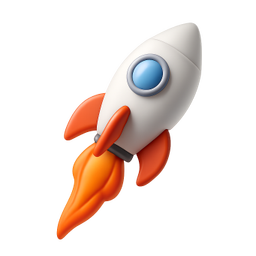

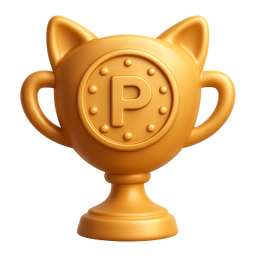


Example icons generated with Pixelle
Sound familiar?
The old way
- ✗Your launch thumbnail looks rushed
- ✗Competing products have better visuals
- ✗No time to create assets before launch
With Pixelle
- Stop the scroll
Custom icons grab attention in the Product Hunt feed. More clicks, more upvotes.
- Launch day ready fast
Create all your launch assets the night before. No last-minute designer panic.
- Gallery images that convert
Show off your product with polished visuals. First impressions drive upvotes.
Simple Process
How to Use the Launch day ready
Plan your gallery before launch day
PH gives you up to 5 gallery images plus a thumbnail. Each one needs to earn its place. Don't reuse marketing-site visuals - design for the PH context specifically.
Generate at PH's exact dimensions
Thumbnail: 240x240 PNG. Gallery: 1270x760. Designing for these exact sizes avoids the scaling artifacts that make competitors' launches look amateur.
Test against the leaderboard
Open PH and scan the top 10. Your thumbnail and gallery need to stand out against THAT specific competition, not in isolation. Adjust until yours wins the comparison.
That's it. From idea to icon in under a minute.
Example Prompts for Launch day ready
Copy these prompts or use them as inspiration for your own icons

Launch
“A 3D rocket with Product Hunt orange trail, launch day energy, upward momentum, transparent background”

Upvote
“A 3D upward arrow/chevron, Product Hunt upvote style, orange gradient, exciting and positive, transparent background”

Featured
“A 3D trophy with cat ears, Product Hunt featured badge, golden and playful, achievement style, transparent background”

Maker
“A 3D hammer and wrench crossed, maker badge style, Product Hunt orange, builder energy, transparent background”

Comment
“A 3D speech bubbles overlapping, community discussion, friendly orange, engagement style, transparent background”
Why Product Hunt launches win or lose on visual polish
Product Hunt is a visual platform pretending to be a community platform. The thumbnail and gallery images are doing most of the work to convert visitors into upvoters, before they ever read your tagline. Launches with weak visuals get ignored regardless of how interesting the product is; launches with strong visuals capture attention long enough for the product story to land.
The launches that hit Product of the Day - look at any week's winners - share a few visual traits. The thumbnail is bold and recognizable at small size. The gallery is consistent across all 5 slots, with clearly designed graphics rather than raw product screenshots. The whole package looks like a designed campaign, not a launch checklist.
Most launches make the opposite choice. They use a screenshot as the thumbnail, throw a few raw product images in the gallery, and hope the product speaks for itself. It doesn't. By the time visitors are scrolling the leaderboard, they're comparing your launch's visual production to ten others - and any launch that didn't invest looks unprofessional by contrast.
Pixelle helps you produce launch-day visuals fast. Generate the thumbnail mark, the gallery section graphics, the icon system that ties your screenshots together. You can produce the full visual package in an afternoon instead of paying a designer for a launch-prep sprint - and your launch reads as one of the polished ones, not one of the also-rans.
Visual assets every PH launch needs
Product Hunt launches that perform well have invested in specific visual deliverables. These are the assets to plan for in launch prep.
Required assets
- Product thumbnail (240x240, recognizable at small size)
- Gallery image 1 (1270x760, the hero shot)
- Gallery image 2-5 (1270x760 each, consistent style)
- Tagline graphic (often overlaid on hero)
- Maker / team visual
Gallery layout patterns that convert
- Product UI screenshot with annotations
- Feature showcase grid
- Before / after comparison
- User testimonial cards
- Animated GIF demos (loop short)
Launch day promotional
- Twitter announcement card
- LinkedIn post graphic
- Email banner for newsletter
- Slack / Discord community share image
- Instagram launch story
Post-launch follow-ups
- Thank-you graphic if you hit top 5
- Award badge / 'featured on PH' graphic
- Press kit visuals
- Embed-friendly versions for blog mentions
- Updates / changelog visuals
Related AI Icon Generators
More tools for the same kind of work
Built for
Makers launching on Product Hunt, indie hackers, and startup founders
FAQ
Launch day ready FAQ
What sizes do I need for Product Hunt?
Product Hunt thumbnails are 240x240. Gallery images should be larger - 1270x760 works well. Pixelle icons look great at any size.
Can I use these for my gallery images?
Yes! Use Pixelle icons as elements in your gallery images. Combine with screenshots and text for compelling launch visuals.
Should I match Product Hunt's orange color?
Some makers do, but it's not required. Your brand colors work fine. Standing out is more important than blending in.

Ready to create your icons?
Join thousands of creators using Pixelle to build beautiful products.
Free to start · No credit card required