One icon.
Every platform.
Generate all the app icon sizes you need for iOS, Android, macOS, Windows, and web. Create once, export everywhere.
Free to start · No credit card required
65+
icon sizes
5
platforms
1
click export
All Platforms
Export to every platform at once
One source icon. All the sizes you need.
iOS
iPhone, iPad, Apple Watch, CarPlay
20+ sizesAndroid
Adaptive icons, Play Store, legacy
15+ sizesmacOS
App Store, Finder, Dock icons
10 sizesWindows
ICO format, taskbar, Start menu
8 sizesWeb
Favicon, PWA, Open Graph
12+ sizesStop resizing icons manually
Each platform needs different sizes. iOS alone requires 20+ variants. Don't waste hours in Photoshop.
The old way
- ✗Manually export 20+ sizes for iOS
- ✗Figure out adaptive icon requirements for Android
- ✗Create separate ICO files for Windows
- ✗Generate favicons, PWA icons, touch icons...
- ✗Name everything correctly for each platform
With Pixelle
- Upload once, get all 65+ sizes instantly
- Adaptive icons ready for Android Studio
- Correct naming for every platform
- One ZIP with organized folders
- Drag into Xcode and you're done
Simple Process
Four steps to app-store-ready icons
Generate or upload your icon
Create with AI or upload an existing 1024×1024 icon.
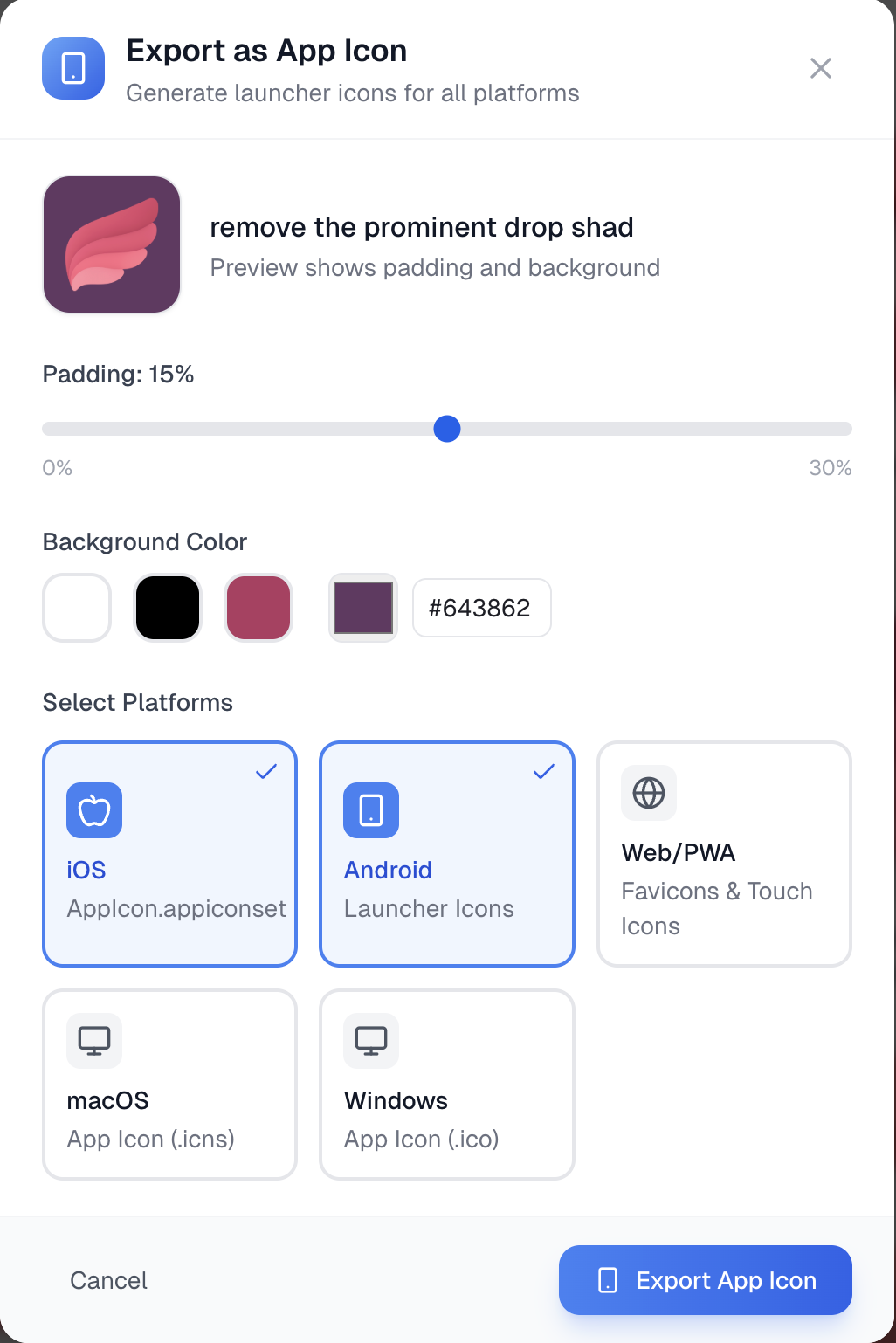
Customize padding & background
Adjust padding (0-30%) and pick a background color for platforms that need it.
Select your platforms
Choose iOS, Android, macOS, Windows, Web — or all of them.
Download and ship
Get a ZIP with all sizes, properly named. Drag into Xcode or Android Studio.
That's it. No design skills required.
Why Pixelle
Why developers love it
Instant generation
Upload once, get all sizes in seconds. No manual resizing, no Photoshop.
Ready-to-use packages
Organized folders with correct naming for each platform. Just drag and drop.
AI-powered creation
Generate your source icon with AI, then export to all platforms instantly.
Complete Coverage
All sizes included
Every size required by Apple, Google, and Microsoft app stores
iOS & macOS
- App Store (1024×1024)
- iPhone @2x, @3x (120×120, 180×180)
- iPad @1x, @2x (76×76, 152×152)
- Apple Watch, CarPlay, Spotlight
- macOS Dock & Finder icons
Android & Web
- Play Store (512×512)
- Adaptive icon foreground (432×432)
- Legacy launchers (mdpi to xxxhdpi)
- Favicons (16×16 to 192×192)
- PWA icons & Apple touch icons
FAQ
Frequently asked questions
What size icons does it generate?
Icons are generated at 1024×1024, the standard size for iOS App Store icons. This provides enough resolution for all platforms.
What formats are included?
PNG files for iOS, Android, macOS, and web. ICO files for Windows. All properly named and organized in platform-specific folders.
Do you support adaptive icons for Android?
Yes! We generate the foreground layer at the correct size (432×432) for Android adaptive icons. You can use it with any background in Android Studio.
Can I customize the padding and background?
Absolutely. You can adjust padding (0-30%) and choose a background color before exporting. This is especially useful for iOS which doesn't support transparency.
Is this free to use?
The app icon export feature is included with your Pixelle account. Sign up free and get 5 credits to generate icons, then export them to any platform.

Ready to export your app icons?
Stop manually resizing icons. Generate all sizes in one click.
5 free generations · No credit card