Professional app icons in seconds
Generate stunning icons for iOS, Android, and web apps. Consistent style across your entire UI.

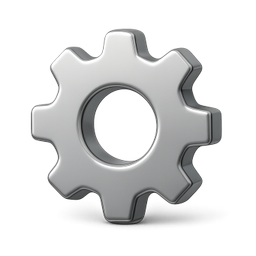
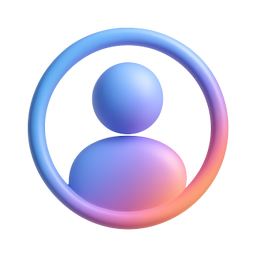
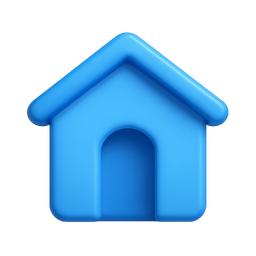
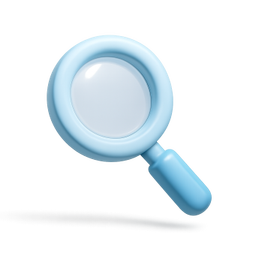
Example icons generated with Pixelle
Sound familiar?
The old way
- ✗Designer bottlenecks slow down development
- ✗Mismatched icon styles hurt your app's polish
- ✗Icon packs never have exactly what you need
With Pixelle
- Consistent UI language
Every icon in your app shares the same visual DNA. Create a polished, cohesive experience.
- Multiple sizes included
Get icons optimized for different screen densities. From @1x to @3x, we've got you covered.
- Ship faster
Stop waiting for designers. Generate the icons you need and keep building.
Simple Process
How to Use the Professional app icons in seconds
Design for the smallest size first
Your app icon will most commonly be seen at 60x60 on a phone home screen. Design for legibility at that size, then scale up - not the other way around.
Generate at the largest required size
iOS asks for 1024x1024 source files. Android asks for 512x512. Generate at the largest needed and downscale for the other slots - upscaling never works.
Test against your competitors
Open your app store category and see which icons stand out. Your icon needs to win in that exact context, not in isolation on your laptop screen.
That's it. From idea to icon in under a minute.
Example Prompts for Professional app icons in seconds
Copy these prompts or use them as inspiration for your own icons

Notifications
“A 3D bell with red badge, app notification icon, iOS style, clean and modern, transparent background”

Settings
“A 3D gear icon, app settings, metallic silver finish, iOS/Android style, transparent background”

Profile
“A 3D user avatar circle, profile icon, friendly gradient, app UI style, transparent background”

Home
“A 3D house icon, home tab, filled style, app navigation, blue gradient, transparent background”

Search
“A 3D magnifying glass, search feature icon, clean app UI style, subtle shadow, transparent background”
App icon sizes you actually need
iOS, Android, watchOS, and web all need slightly different sizes. These are the sizes you must provide as source files - everything else gets generated from these.
| Context | Size | Format | Notes |
|---|---|---|---|
| iOS App Store | 1024x1024 | PNG (no transparency) | Required for App Store submission. Master file - all other iOS sizes derive from this. |
| iOS Home Screen (iPhone) | 180x180 | PNG | Rendered with rounded corners by iOS - don't pre-round your corners. |
| iOS Home Screen (iPad) | 167x167 | PNG | iPad Pro requirement; smaller iPads use 152x152. |
| Android Play Store | 512x512 | 32-bit PNG | Required for Play Store submission. Master file for Android. |
| Android Launcher (xxxhdpi) | 192x192 | PNG (adaptive) | Provide foreground and background separately for adaptive icons. |
| Apple Watch | 1024x1024 | PNG (circular masking) | Designed for circular display - keep important elements centered. |
| Web favicon | 32x32, 16x16 | ICO or PNG | Browser tabs and bookmark bar. Test legibility at 16x16. |
| Web touch icon | 180x180 | PNG | Used when web apps are added to iOS home screen. |
What makes an app icon work
App icons compete in a tiny grid on a crowded home screen. These are the principles that separate icons that get tapped from icons that get ignored.
Visual essentials
- One central focal point - not a busy collage
- High contrast against both light and dark backgrounds
- Distinctive silhouette readable at 60px
- Bold color (no app icon ever became famous in beige)
- Avoid text - your app name appears below the icon anyway
Brand signaling
- Color that ties to your product's brand
- Iconography that hints at function without showing every feature
- Visual style that promises the app's quality (premium / playful / serious)
- Memorability - can someone redraw it after seeing it once?
- Differentiation from category competitors
Technical requirements
- No transparency on iOS (Apple fills with black)
- Transparency allowed on Android (use it for adaptive icons)
- No alpha at the edges - causes visible halos at small sizes
- Full bleed to the edge - the OS adds its own rounded corners
- RGB color space (no CMYK)
Related AI Icon Generators
More tools for the same kind of work
Built for
Indie developers, startup founders, and mobile developers
FAQ
Professional app icons in seconds FAQ
What icon sizes do you support?
Pixelle generates high-resolution icons that you can export at any size. Perfect for iOS (20pt to 1024pt) and Android (mdpi to xxxhdpi).
Can I create icons that match Apple's SF Symbols style?
Yes! You can specify styles like 'minimal line icons' or '3D rendered' to match your app's design language.
Do you support app launcher icons?
Absolutely! Create both in-app UI icons and app launcher icons with consistent branding.

Ready to create your icons?
Join thousands of creators using Pixelle to build beautiful products.
Free to start · No credit card required