Vibrant gradient icons that pop
Create eye-catching icons with beautiful color gradients. Stand out with modern, colorful designs.

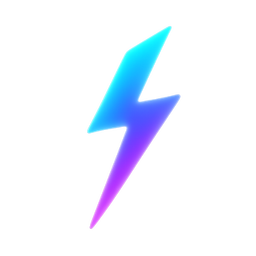
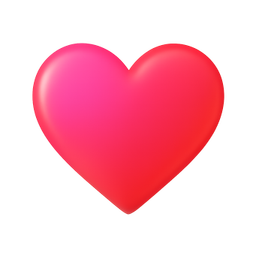



Example icons generated with Pixelle
Sound familiar?
The old way
- ✗Creating consistent gradients across icons is tricky
- ✗Need vibrant icons that match your brand gradient
- ✗Flat icons feel too plain for your brand
With Pixelle
- Eye-catching colors
Gradient icons grab attention. Perfect for marketing, app stores, and hero sections.
- Smooth color transitions
Professional gradients with perfect color blending. No banding, no harsh transitions.
- Brand gradient matching
Use your exact brand gradient colors. Maintain consistency across all your icons.
Simple Process
How to Use the Vibrant gradient icons that pop
Pick your gradient pair
Two colors that have enough contrast to read as a gradient but enough harmony to feel intentional. Pixelle works best with named pairs (sunset, ocean, lime).
Set gradient direction
Top-to-bottom, left-to-right, or diagonal. Apply the same direction across every icon in the set - mixed directions break the visual rhythm.
Generate the set
Pixelle renders each icon with your chosen gradient applied consistently. Export at 2x resolution to avoid banding on retina displays.
That's it. From idea to icon in under a minute.
Example Prompts for Vibrant gradient icons that pop
Copy these prompts or use them as inspiration for your own icons

Flame
“A gradient flame icon, orange to red to yellow gradient, vibrant fire effect, modern app style, transparent background”

Lightning
“A gradient lightning bolt, electric blue to purple gradient, glowing energy effect, transparent background”

Heart
“A gradient heart icon, pink to red Instagram-style gradient, smooth color transition, transparent background”

Star
“A gradient star icon, gold to orange warm gradient, glowing effect, premium feel, transparent background”

Moon
“A gradient crescent moon, purple to blue night sky gradient, dreamy aesthetic, transparent background”
Gradient icon principles that actually work
Gradients went from dated to fashionable to overused and back to fashionable again. The current wave - vibrant, multi-stop, geometric - has clear rules.
Two colors, not five
The most dated thing you can do is a rainbow gradient. Modern gradient icons use two well-chosen colors with maybe a transition color in the middle.
Direction matters more than color
A consistent gradient direction across a set is what makes it feel designed. Even random colors look intentional if every icon's gradient flows the same way.
Avoid banding by working at high resolution
Gradients reveal compression. Generate at 1024px even if you'll ship at 128px - downscaling preserves smoothness, upscaling reveals every step in the gradient.
Test on both light and dark backgrounds
Gradient icons that look stunning on a dark background often disappear on a white one. Either design for one mode or design both versions deliberately.
Don't gradient the outline too
If your icons have strokes, keep the stroke solid (often black or a dark tint of the gradient base). Gradient strokes + gradient fills = visual noise.
Use gradients for emphasis, not everywhere
Gradient icons stand out partly because they're unusual. If everything in your UI is gradient, nothing pops. Save them for hero illustrations and feature graphics.
Why gradients came back
Gradients were exiled from interface design around 2013 when Apple killed skeumorphism. For a decade flat ruled. Then around 2020 something changed - Stripe's marketing site, Instagram's logo refresh, Linear's brand. Gradients returned, but smarter. The new wave wasn't decorative; it was structural.
Modern gradient icons aren't trying to look like real objects. They use color transitions as a design element in their own right - the gradient IS the visual story, not a stand-in for materials. That's why current gradient icons feel fresh: they're geometric, intentional, and tied to brand color systems rather than trying to mimic chrome or glass.
Gradients earn their place in landing pages, mobile app icons, splash screens, and marketing hero graphics. Anywhere the goal is to make something feel premium and contemporary, a well-executed gradient does heavy lifting. They do less well in dense interfaces - settings menus, dashboards - where their visual weight competes with content.
Pixelle's gradient generator gives you control over color pair, direction, and intensity. You can match an existing brand gradient or define one specifically for your icon set. Either way you get a consistent treatment across every icon you generate, so your gradient palette feels like a system, not a collection of one-offs.
Related AI Icon Generators
More tools for the same kind of work
Built for
Marketers, app developers, and designers who want bold, colorful visuals
FAQ
Vibrant gradient icons that pop FAQ
Can I use my brand's gradient colors?
Yes! Specify your exact hex codes for gradient start and end colors. Pixelle will create icons with your brand gradient.
What gradient directions are available?
Any direction - vertical, horizontal, diagonal, radial. Specify in your prompt for precise control.
Can I get multi-color gradients?
Yes! Request two-color, three-color, or rainbow gradients. Describe the color flow you want.

Ready to create your icons?
Join thousands of creators using Pixelle to build beautiful products.
Free to start · No credit card required