Elegant line icons on demand
Create beautiful outline icons with consistent stroke weights. Perfect for modern interfaces and clean designs.
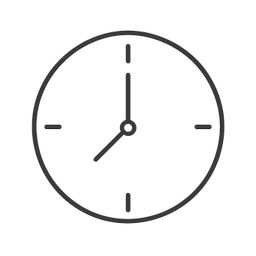
Example icons generated with Pixelle
Sound familiar?
The old way
- ✗Hard to maintain consistent stroke weights manually
- ✗Need custom line icons that match your style
- ✗Existing icon sets mix different stroke weights
With Pixelle
- Consistent stroke weight
Every icon has uniform line thickness. Your icon set looks intentional and cohesive.
- Scales beautifully
Line icons look crisp at any size. Perfect from tiny UI elements to large hero graphics.
- Light and elegant
Line icons feel modern and sophisticated. Less visual weight, more breathing room.
Simple Process
How to Use the Elegant line icons on demand
Set your stroke weight
Pick 1.5px for tight interfaces, 2px for general UI, 3px for marketing. Whatever you pick, apply it to every icon in the set - this is the single most important consistency rule.
Choose your corner style
Rounded line endings feel friendly; squared endings feel technical. Pick one and use it everywhere - line caps and joins matter more than people realize.
Generate and refine
Pixelle produces line icons with consistent stroke weight and end treatment. Export as SVG for crisp rendering at any size.
That's it. From idea to icon in under a minute.
Example Prompts for Elegant line icons on demand
Copy these prompts or use them as inspiration for your own icons

Camera
“A line icon camera, simple outline style, consistent 2px black stroke, minimal modern design, transparent background”

Music
“A line icon musical note, single continuous stroke, elegant curves, 2px stroke weight, transparent background”

Location
“A line icon map pin, outline only style, clean geometric lines, consistent stroke, transparent background”

Calendar
“A line icon calendar, outline only, clean geometric grid, consistent 2px stroke, transparent background”

Clock
“A line icon clock face, simple circle with hands, minimal outline style, uniform stroke, transparent background”
How to design a coherent line icon set
Line icons are the most unforgiving style. Inconsistencies a flat or 3D icon could hide become glaring at thin strokes.
One stroke weight, no exceptions
1.5px or 2px - pick one. The fastest tell that an icon set was assembled rather than designed is mixed stroke weights across the set.
Match your line caps
Round caps everywhere or square caps everywhere. Mixed caps look like the icons came from different artists, because they did.
Standardize corner joins
Sharp miters, rounded joins, or beveled - pick one and apply consistently. The 'feel' of a line icon set comes from how its corners behave.
Keep the same inner padding
Every icon should sit in its bounding box the same way - same padding on top, bottom, left, right. Icons that fill different proportions of their frames will look mis-sized in a row.
Plan for filled variants
Most products need a filled version of each icon for active/selected states. Design both up front; retrofitting fills onto strokes-only icons is twice the work.
Test at 16px
Line icons can look perfect at 48px and become unreadable at 16px. If your UI uses small icons, test every icon at the smallest size you'll ship.
When line icons are the right choice
Line icons are the workhorses of interface design. They're what you reach for when you need icons that disappear into the UI rather than demanding attention. Settings menus, sidebars, toolbars, breadcrumbs, and dense data interfaces all rely on line icons because filled icons would compete with the actual content.
The other thing line icons do well is read at small sizes. A 16px filled icon often turns into a colored blob; a 16px line icon retains its shape because the negative space inside the strokes is doing the work. That's why line icons dominate native apps where small icons appear in tab bars, status bars, and form fields.
The design challenge is that line icons reveal every inconsistency. A 1.5px stroke next to a 2px stroke is immediately obvious. A round line cap next to a square one feels wrong even to non-designers. That's why the best line icon libraries - Phosphor, Heroicons, Tabler - publish strict drawing rules and audit every icon against them.
Pixelle's line-icon generator enforces those rules at generation time. You set stroke weight, cap style, and corner behavior up front. Every icon you generate respects the same drawing system, so a set of fifty line icons will feel coherent without manual touch-up. That's not magic - that's just enforcing the same constraints a careful icon designer would apply by hand.
Related AI Icon Generators
More tools for the same kind of work
Built for
UI designers, web developers, and anyone who loves clean, minimal icon styles
FAQ
Elegant line icons on demand FAQ
Can I specify the stroke weight?
Yes! Request thin (1px), regular (2px), or bold (3px) strokes. Pixelle will maintain consistency across all icons.
Rounded or square corners?
Your choice. Specify rounded caps and joins for friendly icons, or square for a more technical feel.
Can I get filled versions of line icons?
Yes! Many designers create both outline and filled versions. Generate line icons, then request filled variants with the same style.

Ready to create your icons?
Join thousands of creators using Pixelle to build beautiful products.
Free to start · No credit card required