Game-ready icons and assets
Create UI icons, item sprites, and game graphics. Ship your indie game with professional visuals.
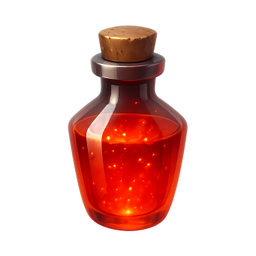

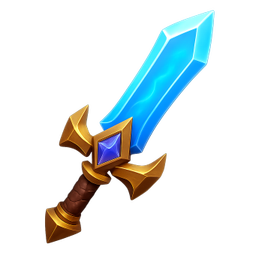
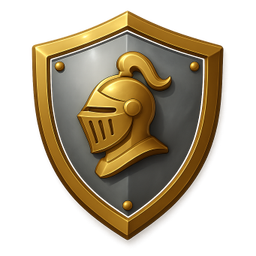
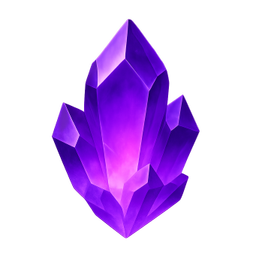
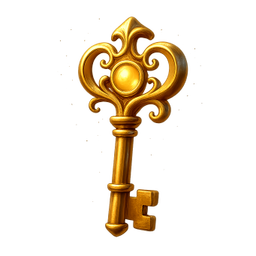
Example icons generated with Pixelle
Sound familiar?
The old way
- ✗Game artists are expensive to hire
- ✗Placeholder art slows down testing
- ✗Need consistent icons for all game items
With Pixelle
- Ship your game faster
Stop waiting on art. Generate the icons you need and keep building your game.
- Consistent game style
Define your art style once, generate matching icons throughout your game.
- Multiple art styles
Pixel art, cartoon, realistic, low-poly - match any game aesthetic.
Simple Process
How to Use the Game-ready icons and assets
Match your game's art direction
Pixel art, low-poly, hand-painted, photorealistic - your icons should feel like they came from the same game. Match the rendering style to your existing art.
Build for the systems players interact with
Inventory items, skills, status effects, achievements, UI controls. These are where icons do the heaviest work. Generate sets for each system that needs visual language.
Export at multiple resolutions
Mobile games need 64-128px. PC games need 256-512px. Generate at the largest required size and downscale - upscaling sprites never works.
That's it. From idea to icon in under a minute.
Example Prompts for Game-ready icons and assets
Copy these prompts or use them as inspiration for your own icons

Health Potion
“A 3D red health potion bottle, RPG game item, glowing red liquid, fantasy style, transparent background”

Gold Coin
“A 3D shiny gold coin with star emblem, game currency, spinning coin style, valuable loot, transparent background”

Sword
“A 3D legendary sword, game weapon item, glowing blue blade, epic rarity, transparent background”

Shield
“A 3D knight's shield with emblem, defensive item, metallic silver with gold trim, RPG style, transparent background”

Gem
“A 3D precious gem/crystal, game collectible, glowing purple amethyst, valuable resource, transparent background”
Why custom game icons matter more than you'd think
Game UI iconography is one of the most-viewed surfaces in any game. Players see the inventory icons, skill icons, status effects, and HUD elements thousands of times across a playthrough. Those icons aren't just decoration - they're how players parse complex systems quickly. Bad icon design slows the player down on every interaction; great icon design feels invisible.
Indie games are particularly vulnerable to icon problems. AAA studios have full art teams who can produce hundreds of bespoke icons per game. Indies often start with placeholder icons that never get replaced, or assemble icon packs from itch.io that don't quite match the game's art direction. The result is UI that feels disconnected from the rest of the game - even when the actual gameplay is excellent.
Players notice this consistency without articulating it. A game with custom, art-direction-matched icons feels polished. A game with mismatched icons feels unfinished, regardless of how much work went into mechanics. The visual coherence of the UI is part of how players judge whether a game is worth recommending.
Pixelle generates game-grade icons in any aesthetic - retro pixel art, hand-painted, low-poly, modern flat, hand-drawn. You match the icons to your game's existing art direction, and they fit naturally instead of looking imported. Generate the inventory icons, skill icons, achievement icons, and HUD elements you need without dedicating an artist to them for weeks.
Icon systems every game needs
Most games share a similar set of icon-heavy systems. These categories cover the bulk of what players will see across hundreds of hours of play.
Inventory and items
- Weapons (swords, guns, magic items)
- Armor and equipment slots
- Consumables (potions, food, scrolls)
- Crafting materials and resources
- Key items / quest items
Skills and abilities
- Active skill icons (cast indicators)
- Passive ability markers
- Skill tree / progression markers
- Cooldown / charge indicators
- Ultimate / special ability hero icons
Status and combat
- Buffs (haste, strength, regen)
- Debuffs (poison, stun, burn)
- Health, mana, stamina indicators
- Damage type markers (fire, ice, physical)
- Combat states (combo, critical, blocked)
Achievements and progression
- Achievement / trophy icons
- Level up / milestone markers
- Quest markers (active, completed, failed)
- Reward indicators (XP, currency, loot)
- Rank / tier badges
UI and meta
- Menu navigation icons
- Settings (audio, graphics, controls)
- Save / load slots
- Multiplayer (friend, party, chat)
- In-game store and currency
Related AI Icon Generators
More tools for the same kind of work
Built for
Indie game developers, game jammers, and solo developers
FAQ
Game-ready icons and assets FAQ
Can I use these in commercial games?
Yes! All icons you generate are yours to use in commercial games, Steam releases, and mobile apps.
What about sprite sheets?
Generate individual icons and combine them into sprite sheets using your game engine or image editing software.
Do you support pixel art style?
Yes! Request pixel art, 8-bit, or 16-bit style and Pixelle will generate retro game graphics.

Ready to create your icons?
Join thousands of creators using Pixelle to build beautiful products.
Free to start · No credit card required