Retro pixel art icons in seconds
Create nostalgic 8-bit and 16-bit style icons for games, apps, and projects. Perfect pixel art without the pixel-by-pixel work.
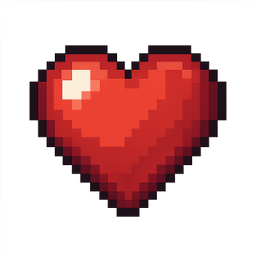
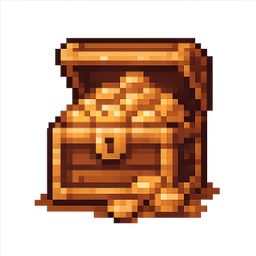
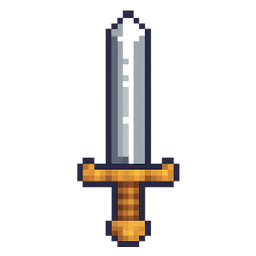
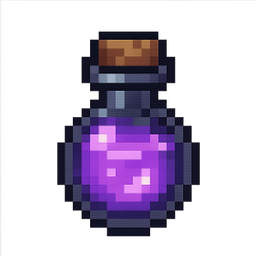

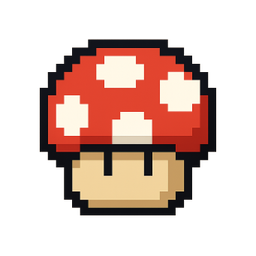
Example icons generated with Pixelle
Sound familiar?
The old way
- ✗Pixel art is time-consuming to create manually
- ✗Hard to maintain consistent style across many icons
- ✗Need retro icons but don't have pixel art skills
With Pixelle
- Authentic retro aesthetic
Get that classic 8-bit and 16-bit look. Perfect for indie games, retro-themed apps, and nostalgic designs.
- Consistent pixel grid
Every icon follows proper pixel art principles. Clean edges, intentional dithering, retro color palettes.
- Skip the tedious work
Pixel art takes hours by hand. Generate icons in seconds and iterate on what you like.
Simple Process
How to Use the Retro pixel art icons in seconds
Pick your pixel grid
Choose 16x16 for true retro feel, 32x32 for more detail, or 64x64 for modern pixel-art hybrids. The grid you pick locks in the aesthetic.
Define a limited palette
Lock 8-16 colors as your set. Pixel art lives or dies by restraint - a small palette is what makes a collection feel cohesive.
Generate and export at 1:1
Pixelle renders crisp pixel edges with no anti-aliasing, ready to drop into your game engine, retro UI, or terminal app.
That's it. From idea to icon in under a minute.
Example Prompts for Retro pixel art icons in seconds
Copy these prompts or use them as inspiration for your own icons

Heart
“A pixel art red heart with shine effect, 16-bit style, retro game health icon, clean pixels, transparent background”

Treasure Chest
“A pixel art wooden treasure chest with gold coins, 8-bit RPG style, warm browns and gold, transparent background”

Sword
“A pixel art medieval sword, silver blade with gold hilt, 16-bit fantasy game style, transparent background”

Potion
“A pixel art magic potion bottle, glowing purple liquid, 8-bit RPG item, transparent background”

Star
“A pixel art golden star, collectible game item style, 16-bit with sparkle effect, transparent background”
Pixel art icon best practices
Pixel art looks deceptively simple. These are the constraints that separate icon sets that feel professional from sets that feel like AI dumped pixels on a grid.
Lock your palette early
Pick 8-16 colors and never deviate. A shared palette is what makes 30 icons feel like one set instead of 30 separate drawings.
Commit to one grid size
Mixing 16x16 and 32x32 icons in the same interface breaks the illusion. Decide on one resolution per project and ship every icon at that size.
Disable anti-aliasing on export
True pixel art has hard edges. If your renderer smooths the pixels you lose the aesthetic entirely - check your export settings and your CSS image-rendering rules.
Read it as a silhouette first
At small sizes the silhouette is the icon. Squint at each icon - if you can't tell what it is from the shape alone, the detail won't save it.
Use a consistent outline rule
Either every icon has a 1px dark outline, or none of them do. Mixing outlined and outline-less icons in a set makes the whole collection feel inconsistent.
Preview at actual size
Designers stare at pixel art zoomed 4x. Players see it 1:1 on a 4K monitor where it's tiny. Always test at the size your users will actually see.
Why pixel art still works in 2026
Pixel art outlived its hardware. The constraint that created it - tiny screens with limited color memory - vanished decades ago, but the aesthetic kept growing. Today it's the default visual language of indie games, terminal UIs, retro web design, and a chunk of NFT and crypto branding. The reason is simple: a well-made pixel icon communicates more per pixel than almost any other style.
The challenge is consistency. A single beautiful pixel icon is easy. A set of forty that all feel like the same artist made them is a 40-hour job. That's where most teams either give up and use mismatched icon packs from itch.io, or hire a pixel artist for a month. Neither scales when you're shipping a game or shipping marketing weekly.
Pixelle's pixel-art generator is built around the same constraints a good pixel artist works with - locked palette, fixed grid, no anti-aliasing. The output is genuine pixel art, not a high-res image downscaled to look pixelated. You get icons you can drop straight into a game engine, an emulator UI, or a retro landing page without cleanup.
If you're shipping a roguelike, building a terminal-style developer tool, designing for a CRT-era brand, or just want icons with personality, pixel art still earns its place. The skill is in the restraint - and that's exactly what the constraints in Pixelle enforce.
Related AI Icon Generators
More tools for the same kind of work
Built for
Indie game developers, retro enthusiasts, and designers creating nostalgic content
FAQ
Retro pixel art icons in seconds FAQ
What pixel sizes do you support?
Pixelle can generate icons that look great at any size. Specify your target resolution (16x16, 32x32, 64x64) in your prompt for authentic pixel scaling.
Can I get specific retro console styles?
Yes! Describe the era or console you want - NES style, SNES style, Game Boy palette - and Pixelle will match that aesthetic.
Do the icons work for actual games?
Absolutely. Many indie game developers use AI-generated pixel art as a starting point or final assets. Export and use directly in your game engine.

Ready to create your icons?
Join thousands of creators using Pixelle to build beautiful products.
Free to start · No credit card required