Icons that scale with your product
Build a consistent icon system for your SaaS dashboard, marketing site, and documentation.




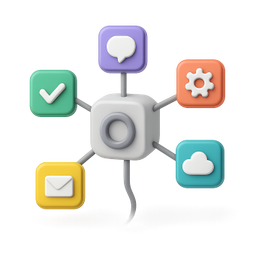

Example icons generated with Pixelle
Sound familiar?
The old way
- ✗Your product looks like it was designed by engineers
- ✗Every new feature needs new icons
- ✗Design resources are spread thin
With Pixelle
- Build your design system
Create a library of consistent icons that grow with your product. New feature? New icon in seconds.
- Dashboard clarity
Clear iconography helps users navigate your product. Reduce confusion, increase adoption.
- Marketing consistency
Use the same icons across your app, website, and docs. One cohesive brand experience.
Simple Process
How to Use the Icons that scale with your product
Define your icon system as part of your design system
Lock in stroke weight, corner radius, palette, and grid. These constraints make every future icon you generate fit your product visually.
Build feature-area icons first
Your dashboard has 10-15 main feature areas. Generate icons for each one before worrying about edge cases. The dashboard icons set the visual tone for the rest.
Export as a Figma library or component set
Don't dump icons into your codebase as one-offs. Treat them as a library, version it, and let designers and developers pull from a single source.
That's it. From idea to icon in under a minute.
Example Prompts for Icons that scale with your product
Copy these prompts or use them as inspiration for your own icons

Dashboard
“A 3D dashboard layout with charts and metrics, SaaS admin panel, blue gradient, professional, transparent background”

Users
“A 3D group of user avatars with plus, user management, team administration style, transparent background”

Billing
“A 3D credit card with checkmark, billing and payments, green success, SaaS subscription, transparent background”

API
“A 3D code brackets with connection nodes, API icon, developer style, purple tech color, transparent background”

Integrations
“A 3D hub with connected apps, integrations marketplace, colorful app icons connected, transparent background”
Why SaaS products need their own icon system
Most SaaS products start with a third-party icon library - Heroicons, Phosphor, Feather - and never replace it. Those libraries are excellent and free, which is exactly why every other SaaS product uses them too. Open ten dashboards in your industry and you'll see the same icons recurring across all of them. The result is a category where every product looks visually interchangeable.
The SaaS products that stand out visually - Linear, Vercel, Stripe, Notion, Figma - all built custom icon systems early. Their icons aren't just decoration; they're part of how the product communicates its values. Linear's icons feel precise and engineered; Notion's feel playful and human; Vercel's feel modern and severe. The icons reinforce brand positioning that words alone can't carry.
Custom icons also future-proof your product. A library you depend on can get deprecated, redesigned, or licensing-changed. Your own icon system is yours forever. Adding new icons as the product grows happens in your system, by your conventions, not by waiting for an upstream library update.
Pixelle gives SaaS teams a way to build that custom icon system without dedicating a designer to it for weeks. Define your system once, generate icons as the product expands, and ship a coherent visual language across your dashboard, marketing site, app store screenshots, and onboarding. The icons grow with the product instead of becoming a refactoring debt.
Icons every SaaS product needs
These are the categories that show up in nearly every B2B and B2C SaaS dashboard. Build for these first and you've covered 80% of your icon needs.
Navigation primitives
- Dashboard, home, overview
- Analytics, reports, insights
- Settings, preferences, configuration
- Profile, account, billing
- Help, support, docs
Workspace and collaboration
- Team, members, invite
- Projects, workspaces, organizations
- Permissions, roles, access
- Comments, discussion, mentions
- Notifications, alerts, activity
Core actions
- Create, add, new
- Edit, update, save
- Delete, archive, trash
- Duplicate, copy, clone
- Share, export, download
Data and content
- Files, documents, attachments
- Database, tables, records
- Search, filter, sort
- Upload, import, sync
- Tags, labels, categories
Integrations and APIs
- Connect, integrate, webhook
- API key, OAuth, authentication
- Sync status, last updated
- Logs, events, audit trail
- External tools (Slack, Gmail, GitHub style)
Related AI Icon Generators
More tools for the same kind of work
Built for
SaaS founders, product managers, and startup teams
FAQ
Icons that scale with your product FAQ
Can I create icons for specific features?
Yes! Describe any feature or concept and Pixelle will generate an icon for it. From 'billing settings' to 'team collaboration'.
How do I maintain consistency across many icons?
Pixelle uses project-based styling. Define your style once, and every icon you generate will match automatically.
Can I use these icons commercially?
Yes! All icons you generate are yours to use in your commercial products, websites, and marketing materials.

Ready to create your icons?
Join thousands of creators using Pixelle to build beautiful products.
Free to start · No credit card required