Icons that boost open rates
Create eye-catching graphics for email newsletters. Stand out in crowded inboxes.
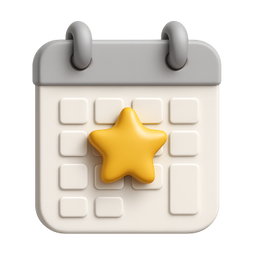
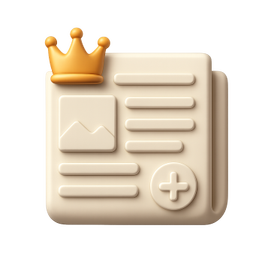



Example icons generated with Pixelle
Sound familiar?
The old way
- ✗Text-heavy newsletters get ignored
- ✗Need consistent section headers
- ✗Want professional visuals without a designer
With Pixelle
- Inbox standout
Visual newsletters get more engagement. Icons break up text and guide readers.
- Section markers
Use icons to divide newsletter sections. Readers can scan and find what matters.
- Brand consistency
Same icons every week build recognition. Subscribers know your content instantly.
Simple Process
How to Use the Icons that boost open rates
Match your newsletter's voice
A finance newsletter wants polished restrained icons; a creator newsletter wants warm playful ones. Pick the aesthetic that matches your writing.
Build a consistent section iconography
If your newsletter has recurring sections (this week, recommended, deep dive), generate one icon per section and use it every issue. Visual repetition becomes signal.
Export email-safe formats
Use PNG for compatibility across email clients. Keep file sizes small - many email clients throttle image loads or block them entirely.
That's it. From idea to icon in under a minute.
Example Prompts for Icons that boost open rates
Copy these prompts or use them as inspiration for your own icons

This Week
“A 3D calendar with star highlight, this week's highlights, newsletter section, editorial style, transparent background”

Top Story
“A 3D newspaper with crown, featured top story, headline news, premium content indicator, transparent background”

Quick Links
“A 3D chain links with arrow, quick links section, curated resources, helpful navigation, transparent background”

Tip
“A 3D lightbulb with exclamation, tip of the week, helpful advice icon, bright yellow insight, transparent background”

Sponsor
“A 3D megaphone with heart, sponsor message, supported by, partnership indicator, transparent background”
Newsletter icon sizes that actually render
Email clients are notoriously inconsistent at rendering images. These sizes work across Gmail, Apple Mail, Outlook, Substack, ConvertKit, and Beehiiv.
| Context | Size | Format | Notes |
|---|---|---|---|
| Email header logo | 600px wide (variable height) | PNG with transparency | Email body width is typically 600px. Don't exceed - mobile clients will scale down awkwardly. |
| Section dividers | 600x100 to 600x200 | PNG | Visual breaks between newsletter sections. Should feel decorative, not load-heavy. |
| Inline section icons | 48x48 to 96x96 | PNG | Next to section headers or list items. Keep total newsletter file size under 1MB. |
| Article preview thumbnails | 200x200 to 300x300 | PNG or JPG | Used for linked content within the newsletter. Square aspect ratio renders consistently. |
| Footer / signoff icons | 24x24 to 48x48 | PNG | Social links, unsubscribe area. Must render even when client blocks larger images. |
| Open Graph preview | 1200x630 | JPG or PNG | When subscribers share the email link. Should mirror your blog's OG style. |
Newsletter sections that benefit from icons
Recurring newsletters thrive on consistent structure. Section icons help readers scan for what they want and signal where they are in the issue.
Recurring sections
- This week (calendar, clock)
- Top story (star, fire, trending)
- Quick hits (lightning, bullet list)
- Deep dive (magnifier, book, microscope)
- Recommended (thumbs up, heart, bookmark)
Content types within issues
- Article (document, page)
- Video (play button, film)
- Podcast (microphone, headphones)
- Tool / app (toolbox, app icon)
- Tweet / thread (bird, chat)
Engagement and CTAs
- Reply to this email
- Forward to a friend
- Subscribe / unsubscribe
- Sponsor / support
- Archive / past issues
Premium / paid content
- Members-only marker
- Premium / subscriber tier
- Free preview vs. paid
- Upgrade to read full
- Subscriber bonuses
Related AI Icon Generators
More tools for the same kind of work
Built for
Newsletter creators, email marketers, and content curators
FAQ
Icons that boost open rates FAQ
Do icons work in all email clients?
PNG images are universally supported. Just keep file sizes reasonable and always include alt text.
What size icons work best in emails?
32-64px for inline icons, larger for section headers. Pixelle generates high-res images you can scale appropriately.
Can I create consistent icons for recurring sections?
Yes! Generate a set of section icons once and reuse them every issue for brand consistency.

Ready to create your icons?
Join thousands of creators using Pixelle to build beautiful products.
Free to start · No credit card required