Custom icons for your Trello boards
Create visual icons for board covers, labels, and cards. Make project management more intuitive.
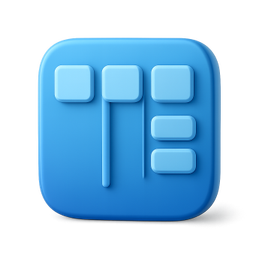
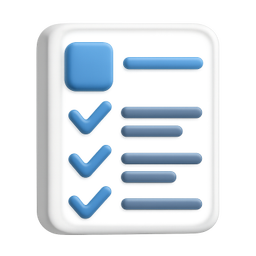



Example icons generated with Pixelle
Sound familiar?
The old way
- ✗Trello boards all look the same
- ✗Hard to quickly scan card status
- ✗Need visual cues for workflows
With Pixelle
- Visual project management
Icons help you scan boards faster. Find cards at a glance with distinctive visuals.
- Beautiful board covers
Custom cover images make your boards look professional and organized.
- Team alignment
Consistent icons help teams understand workflows. Visual cues reduce confusion.
Simple Process
How to Use the Custom icons for your Trello boards
Plan your icon system
Card cover icons, label markers, board backgrounds. Decide which Trello elements need custom imagery and design for those slots specifically.
Generate at Trello's preferred sizes
Card covers display at roughly 200px tall. Generate 400px+ to keep them crisp on retina displays. For tiny status markers, 64px is enough.
Upload as card cover or attach to cards
On any card, click Cover and upload your icon. For card-level icons, attach the PNG and pin it as the cover. Power-Up integrations can automate this further.
That's it. From idea to icon in under a minute.
Example Prompts for Custom icons for your Trello boards
Copy these prompts or use them as inspiration for your own icons

Board
“A 3D kanban board with columns, Trello board style, blue gradient, project management, transparent background”

Card
“A 3D task card with checklist, Trello card style, white with blue accent, clean design, transparent background”

In Progress
“A 3D spinning gear with progress bar, work in progress status, orange energetic, transparent background”

Done
“A 3D green checkmark in circle, completed task status, success green, celebration feel, transparent background”

Priority
“A 3D flag icon, high priority marker, red urgent color, attention-grabbing, transparent background”
Using custom icons in Trello boards
Trello boards become more scannable when cards carry visual cues. Custom card cover icons let you communicate status, category, or priority at a glance.
- 1
Decide what each cover means
Before generating icons, define the system. Color-coded categories? Status indicators? Project markers? The icon system only works if the meaning is consistent across the board.
- 2
Generate covers at 400x400 minimum
Trello card covers display at varying sizes. 400px gives you crispness at retina resolution without bloating the card attachment storage.
- 3
Use the cover slot, not card attachment
Attached PNGs show in the card's attachment list. The Cover slot displays the image prominently at the top of the card. Always use Cover for visual icons.
- 4
Match your label colors
If you use Trello labels for color-coding, generate icons in the same colors. The cover and label reinforce each other instead of fighting.
- 5
Template your card structure
Create a template card with a placeholder cover. New cards based on the template start with the cover ready to swap - faster than uploading per card.
- 6
Use Butler automation to apply covers
Trello's Butler can auto-attach a cover when a card is moved to a specific list. Combined with custom icons, this creates a visual workflow that updates without manual work.
Why Trello boards benefit from custom icons
Trello's strength is its flexibility - any board can be configured for any workflow. Its weakness is the same: most boards look like the default template. Cards are walls of text differentiated only by Trello's eleven label colors. For boards used by one person managing a project, that's fine. For boards shared with a team, used in stand-ups, or referenced by stakeholders, the visual sameness becomes a comprehension cost.
Custom card covers solve this. A card with a clear visual marker reads in a glance: this one is a bug, this one is a feature, this one is blocked. The team scans the board faster, the stand-up moves faster, and the cognitive load of working in Trello drops. The covers don't need to be elaborate - simple, consistent icons in the right colors are enough.
The harder problem is keeping icons consistent across a board. Once you start mixing emoji, screenshots, photos, and uploaded icons, the visual system breaks down. A board with mixed cover styles is harder to scan than a board with no covers at all - the noise costs more than the signal pays.
Pixelle is built for generating coherent icon sets. Define your style and color system once, and every icon you generate fits the system. Upload to Trello as card covers and your board gains a visual language that scales as the project grows. That's what makes a Trello board feel like a designed workspace instead of a sticky-note pile.
Related AI Icon Generators
More tools for the same kind of work
Built for
Project managers, agile teams, and anyone organizing work in Trello
FAQ
Custom icons for your Trello boards FAQ
How do I use icons in Trello?
Add icons as card cover images or attach them to cards. You can also use them in card descriptions for visual organization.
Can I create icons for each workflow stage?
Yes! Create a set of icons for To Do, In Progress, Review, Done, and any custom stages in your workflow.
What about Trello labels?
While Trello labels are color-based, you can add icon attachments to cards for additional visual categorization.

Ready to create your icons?
Join thousands of creators using Pixelle to build beautiful products.
Free to start · No credit card required