Make your side project look legit
Give your weekend project the polish it deserves. Custom icons in minutes, not days.
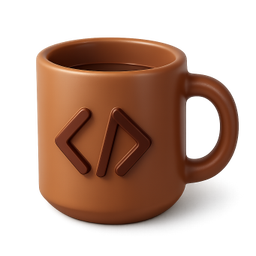
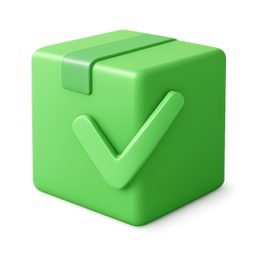




Example icons generated with Pixelle
Sound familiar?
The old way
- ✗Your side project looks unfinished
- ✗No design skills, no design budget
- ✗Stock icons feel wrong for personal projects
With Pixelle
- Polish without the effort
Your side project deserves better than emoji. Get custom icons in the time it takes to make coffee.
- Ship something you're proud of
When your project looks good, you're more likely to share it. Stop hiding your work.
- Zero budget, pro results
Side projects don't have design budgets. Now they don't need one.
Simple Process
How to Use the Make your side project look legit
Pick a style that punches above your weight
Side projects often look amateur not because the code is bad but because the visuals are. A clean icon system signals 'this is real' even before users try it.
Generate for the surfaces that matter
Landing page, favicon, OG image, app screenshots. These are the surfaces that decide whether someone opens your side project or scrolls past it.
Don't perfect, ship
Side projects die from over-design as often as under-design. Generate a coherent set, ship it, iterate based on actual user reactions.
That's it. From idea to icon in under a minute.
Example Prompts for Make your side project look legit
Copy these prompts or use them as inspiration for your own icons

Weekend Build
“A 3D coffee mug with code brackets, weekend coding, cozy developer vibes, warm brown tones, transparent background”

Shipped
“A 3D package box with checkmark, shipped/deployed, green success, accomplishment feel, transparent background”

Work in Progress
“A 3D construction cone with gear, work in progress, orange caution, building something, transparent background”

Idea
“A 3D sticky note with lightbulb drawing, idea captured, yellow paper, creative spark, transparent background”

Late Night
“A 3D moon with laptop, late night coding, purple night sky, dedicated maker, transparent background”
Why side projects deserve real visual identity
Most side projects look like side projects. Generic favicon, default Bootstrap-ish styling, screenshots that look like dev environments. That visual texture screams 'this is something I made for fun and might shut down next month.' Users notice. They give the project less benefit of the doubt, less willingness to invest in learning it, less likelihood of recommending it.
The side projects that grow - the ones that turn into businesses, get acquired, become someone's full-time work - tend to look professional from early. Not because their creators were better designers, but because they invested two hours in a coherent visual system early instead of putting it off forever. The visual investment compounds: the project ranks better on Product Hunt, gets shared more on Twitter, retains users who would have churned from a sketchier-looking app.
The frustrating part has been that visual production was expensive in time or money. A real custom icon set took days to make in Figma if you knew what you were doing, or $500+ on Upwork if you didn't. For a side project on nights and weekends, neither budget was available - so most side projects skipped the visual investment entirely.
Pixelle changes the math. A custom icon set for a side project takes an hour to produce, costs less than dinner, and applies across every surface the project lives on. The side project starts looking like a real product almost immediately - which is often what unlocks the momentum that turns a side project into something more.
Visual assets every side project needs
These are the surfaces where side projects most often get judged. Cover them with a coherent visual system and the project punches well above its actual scope.
First-impression assets
- Favicon (recognizable at 16x16)
- Landing page hero graphic
- Open Graph share image (1200x630)
- Twitter card image
- Logo / wordmark for the project
Landing page essentials
- Feature grid icons (3-6 features)
- Value proposition markers
- How it works diagram elements
- Testimonial / social proof accents
- CTA arrows and visual hooks
Product UI basics
- Navigation icons (home, settings, profile)
- Action icons (create, edit, delete, share)
- Empty state illustrations
- Loading and success indicators
- Notification / status markers
Distribution / launch
- Product Hunt thumbnail + gallery
- GitHub README header graphic
- App store icon (if applicable)
- Hacker News post accompaniment
- Twitter launch thread visuals
Related AI Icon Generators
More tools for the same kind of work
Built for
Developers with side projects, weekend builders, and indie makers
FAQ
Make your side project look legit FAQ
Is this overkill for a side project?
Good design makes people take your project seriously. It takes 5 minutes and costs almost nothing. Why not make it look great?
Can I use these if my project makes money later?
Yes! All icons you generate are yours to use commercially. If your side project becomes a business, you're covered.
What if my project has a weird niche?
Pixelle can generate icons for anything you can describe. Niche project? Describe what you need and get exactly that.

Ready to create your icons?
Join thousands of creators using Pixelle to build beautiful products.
Free to start · No credit card required