Create custom emoji instantly
Generate unique emoji for Slack, Discord, or any platform. Express yourself beyond the standard emoji set.
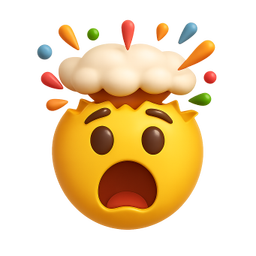
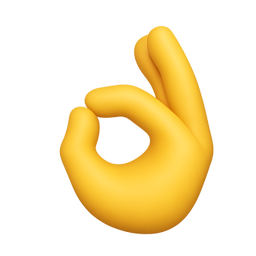
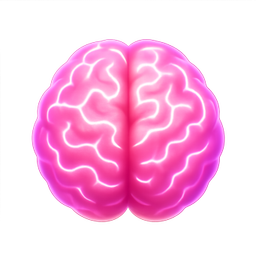

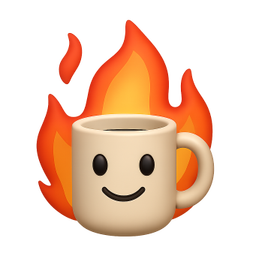
Example icons generated with Pixelle
Sound familiar?
The old way
- ✗Standard emoji don't express what you feel
- ✗Your team has reactions that need custom emoji
- ✗Want emoji that match your brand or style
With Pixelle
- Beyond standard emoji
Standard emoji are limiting. Create exactly the expression or reaction you need.
- Perfect for teams
Inside jokes, company mascots, reaction memes - turn anything into emoji.
- Works everywhere
Slack, Discord, Notion, GitHub - anywhere that accepts custom emoji.
Simple Process
How to Use the Create custom emoji instantly
Decide your emoji's purpose
Slack reaction? Discord server emoji? Custom messaging app? The purpose determines what size, style, and level of detail makes sense.
Generate at platform-correct sizes
Slack: 128x128 PNG. Discord: 128x128 PNG. Telegram stickers: 512x512 PNG. Generate at the right size up front to avoid compression artifacts.
Test against tiny display sizes
Emoji often render at 18-22px in messages. If your icon has fine detail it'll mush at those sizes. Simplify until it reads at thumbnail scale.
That's it. From idea to icon in under a minute.
Example Prompts for Create custom emoji instantly
Copy these prompts or use them as inspiration for your own icons

Mind Blown
“A 3D face with exploding head, mind blown emoji, colorful explosion particles, expressive reaction, transparent background”

Chef Kiss
“A 3D hand doing chef's kiss gesture, perfection emoji, Italian hand gesture, appreciative, transparent background”

Big Brain
“A 3D oversized glowing brain, big brain time emoji, pink brain with electric glow, smart reaction, transparent background”

Stonks
“A 3D arrow going up dramatically, stonks meme style, green profit energy, to the moon, transparent background”

This is Fine
“A 3D coffee mug surrounded by flames, this is fine energy, calm in chaos, ironic emoji, transparent background”
Why custom emoji matter for digital communities
Custom emoji started as a Slack joke and became one of the most-used surfaces in modern digital communication. A custom emoji reaction conveys nuance that text can't - it signals tone, references shared context, builds in-group identity. The vocabulary of a workplace, a Discord server, or a community lives partly in its custom emoji set.
The standard approach is to upload one-off images as people happen to make them. The result is a chaotic picker full of memes, screenshots, and random pixel art that nobody quite remembers the context of. It works at a small scale and breaks down once the emoji set grows past a few dozen items.
The communities and workplaces with strong cultural identity invest in coherent custom emoji sets. They might have themes - reaction emoji, status indicators, project markers, in-jokes formalized as visual vocabulary. The shared visual language compounds over time: members learn it as part of onboarding, use it daily, and reference it in ways that bind the community together.
Pixelle generates emoji sets in a consistent style, matched to whatever vibe your community wants. You can produce 50 cohesive emoji in an evening instead of accumulating them haphazardly over years. The community ends up with a real visual identity instead of a kitchen-drawer collection of upload moments.
Custom emoji categories that work across platforms
Whether you're building for Slack, Discord, Telegram, or your own messaging product, these are the emoji categories that get the most use.
Reactions
- Agreement / disagreement variants
- Excitement / celebration
- Confusion / surprised
- Frustration / disappointment
- Acknowledgment / 'seen'
Status and tone
- Working / focused / deep work
- Available / DM-friendly
- Busy / do not disturb
- Away / out of office
- Lunch / break
Community vocabulary
- Inside jokes formalized as emoji
- Project / product references
- Role / team markers
- Meeting types (standup, retro, 1:1)
- Milestone celebrations (ship, launch, win)
Functional / workflow
- Approved / blocked / needs review
- Bug / feature / improvement
- Question / answered
- Action item / done
- Priority levels (P0, P1, P2)
Related AI Icon Generators
More tools for the same kind of work
Built for
Teams, communities, content creators, and anyone who communicates with emoji
FAQ
Create custom emoji instantly FAQ
What size should custom emoji be?
Most platforms use 128x128 pixels. Pixelle generates high-res images that look great scaled down to emoji size.
Can I create emoji of people or characters?
Yes! Create mascots, avatars, or character-based emoji. Describe the expression and style you want.
How many custom emoji can I create?
As many as you want. Build a complete custom emoji library for your team or community.

Ready to create your icons?
Join thousands of creators using Pixelle to build beautiful products.
Free to start · No credit card required