Icons that help you sell
Create shopping icons for categories, features, and trust signals. Make your store look professional and trustworthy.
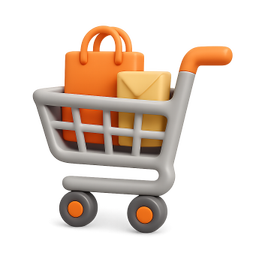
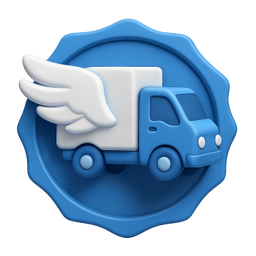
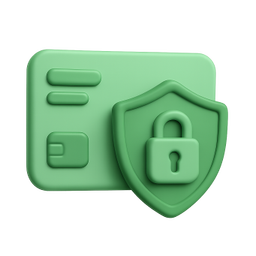

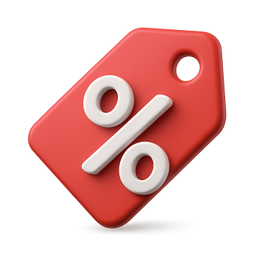

Example icons generated with Pixelle
Sound familiar?
The old way
- ✗Store looks like every other Shopify template
- ✗Need trust badges that match your brand
- ✗Product categories need clear visual indicators
With Pixelle
- Guide shoppers visually
Category icons help customers find products faster. Better UX, more sales.
- Build trust
Trust badges and feature icons reassure customers. Secure checkout, free shipping, guarantees.
- Professional store design
Consistent icons elevate your store above template competition.
Simple Process
How to Use the Icons that help you sell
Match your store's brand colors
Ecommerce icons live across product pages, navigation, checkout, and email. Use your brand colors so the icons feel native to your store rather than imported.
Generate for the friction points
Cart, checkout, shipping, returns, security badges. These are where icons do the most conversion work. Cover them first, then build out the catalog visuals.
Export web-optimized sizes
Use SVG where possible for crisp scaling. PNG at 2x for raster needs. Optimize file size aggressively - ecommerce sites live and die by page weight.
That's it. From idea to icon in under a minute.
Example Prompts for Icons that help you sell
Copy these prompts or use them as inspiration for your own icons

Shopping Cart
“A 3D shopping cart with items, e-commerce cart icon, retail style, orange accent, transparent background”

Free Shipping
“A 3D delivery truck with wings, free fast shipping, blue and white, trust badge style, transparent background”

Secure Payment
“A 3D credit card with shield lock, secure checkout badge, green trust color, transparent background”

Best Seller
“A 3D gold star badge with ribbon, best seller tag, premium product indicator, transparent background”

Discount
“A 3D price tag with percent sign, discount/sale icon, red promotional style, savings indicator, transparent background”
Icons every online store needs
Ecommerce icons aren't decoration - they're conversion levers. These categories show up on the pages where customers decide whether to buy.
Cart and checkout
- Shopping cart (full, empty, with badge)
- Bag, basket alternatives
- Checkout, payment, order summary
- Discount, coupon, promo code
- Order confirmation, receipt
Trust and security
- Secure payment, SSL lock, verified
- Money-back guarantee, satisfaction promise
- Free shipping, free returns
- Customer reviews, ratings, testimonials
- Award badges, trust seals
Product categories
- Apparel (clothing, shoes, accessories)
- Home goods (furniture, decor, kitchen)
- Electronics (devices, audio, gaming)
- Beauty (cosmetics, skincare, fragrance)
- Food and drink
Shipping and fulfillment
- Free shipping, fast shipping, express
- Tracking, in transit, delivered
- International shipping, local pickup
- Returns, exchanges, refunds
- Gift wrapping, gift cards
Customer support
- Live chat, email support, help center
- FAQ, knowledge base, contact us
- Order status, account, profile
- Wishlist, saved items, favorites
- Notifications, alerts
Why ecommerce icons matter for conversion
Every ecommerce site has icons. Most don't think about them. The default approach is to grab whatever icon font is bundled with the theme - Font Awesome, Material Icons, the Shopify built-ins - and never look back. Those icons are functional. They're also identical to thousands of other stores using the same defaults, which is one of many small reasons your storefront might feel templated.
The icons that move conversion are the ones at decision points: the security badges near the buy button, the shipping icons in the cart, the trust marks at checkout. These are the moments where customers pause to evaluate risk. Generic, low-effort icons in those slots subtly signal a low-effort brand. Custom icons that match your visual identity signal a brand that cares about details.
The other place custom icons matter is category navigation. The icons next to your top-level categories - apparel, electronics, home, beauty - shape how customers feel about browsing your store. Default icons make the experience feel like a generic marketplace. Custom icons make it feel like a curated shop. The store's identity comes through before the customer reads a single product description.
Pixelle lets you build the icon set your store deserves without commissioning a designer or settling for stock. Match your brand colors, your aesthetic, and your specific product categories. The icons go everywhere - site navigation, product pages, checkout, transactional emails, marketing campaigns. The result is a store where the visual identity is consistent end to end.
Related AI Icon Generators
More tools for the same kind of work
Built for
E-commerce store owners, Shopify merchants, and online retailers
FAQ
Icons that help you sell FAQ
Do these work with Shopify themes?
Yes! PNG icons with transparent backgrounds work perfectly in Shopify, WooCommerce, BigCommerce, and any e-commerce platform.
Can I create product category icons?
Absolutely! Generate icons for clothing, electronics, home goods, beauty - any product category your store needs.
What about seasonal icons?
Create holiday-themed icons for sales events - Black Friday, Christmas, Valentine's Day, and more.

Ready to create your icons?
Join thousands of creators using Pixelle to build beautiful products.
Free to start · No credit card required