One style.
Every icon.
Define your icon style once. Pixelle generates every icon you need in that exact style. No drift, no manual matching, no re-prompting.
5 free icons · No credit card required
1
style config
∞
matching icons
0
mismatches
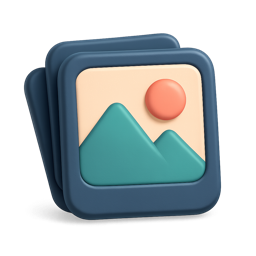
Five icons. One project. Same style.
Style Config
What stays consistent across your set
You define these once per project. Pixelle applies them to every icon.
Color palette
Brand colors saved once, applied to every icon
Style direction
3D, flat, line, gradient, pixel art, ceramic, clay
Lighting
Soft, dramatic, flat - locked across the set
Materials
Matte, glossy, translucent, metallic - one choice
Composition
Padding, framing, perspective - identical every time
Stop redescribing your style in every prompt
Most AI icon generators are one-shot. Each prompt is its own world. Your set ends up looking like five different designers worked on it.
Other icon generators
- ✗Re-describe your style in every prompt
- ✗Forget which exact colors you used last time
- ✗Icons drift in style across your set
- ✗Spend hours hand-picking matches
- ✗Half the set has to be regenerated
With Pixelle
- Define style once at the project level
- Brand colors saved and applied automatically
- Every icon matches the rest of the set
- Add icons forever and they still match
- Download the whole set as a ZIP, ready to ship
Workflow
Four steps to a consistent icon set
Create a project and pick your style
Define your colors, style direction, lighting, and any rules. Takes about a minute.
Generate your first icon
Describe what you want. Pixelle uses your project style config in the prompt automatically.
Generate more, all matching
Every new icon references the same style. Your 50th icon looks like it came from the same designer as your 1st.
Export the full set
Download the whole project as a ZIP, or grab individual icons in any size with transparent backgrounds.
Why it works
Style lives at the project, not the prompt
Project-locked styles
Style lives at the project level, not the prompt. Forget about copying style descriptions into every generation.
Style applied every time
The AI references your config on every prompt, so you describe what you want, not how it should look.
Still matches a year later
Add icons to the set in three months or three years. Same project, same config, same result.
Real example
Pixelle uses Pixelle
These are real icons from our own dashboard. All generated in one project. One style config: navy base, coral accent, matte 3D. You see them every day if you use the app.
Pixelle's own dashboard icons
5 icons. 1 style config. Navy base, coral accent, matte 3D finish.
Navigation icons from app.pixelle.io · generated in-product
FAQ
Frequently asked questions
How does Pixelle keep icons consistent?
When you create a project, you define a style configuration: color palette, style direction (3D, flat, line, pixel art, gradient, and more), lighting, materials, and custom design rules. Every time you generate an icon in the project, Pixelle automatically references your style config so the new icon matches the rest of the set.
Can I change my style mid-project?
Yes. Update your project's style config from project settings at any time. New icons will use the updated style. Existing icons stay as they were, so you can regenerate any you want to match the new direction.
What if I generate more icons months later?
That is the whole point. Your style config is saved per project. Come back in a year and add ten more icons to the set, and they will match the originals because the AI references the same configuration every time.
Do I need separate projects for different products?
Yes, and it is the right pattern. One project per product or brand. Each project has its own style config so your SaaS dashboard icons stay distinct from your mobile app icons, and both stay internally consistent.
What style works best for consistency?
Any style works. 3D, flat, line, gradient, pixel art, ceramic, clay, isometric. The trick is not the style itself but locking the style. Once you commit to a direction and Pixelle saves it, every icon in the project will hold that direction.
Can I export the whole icon set at once?
Yes. Inside a project you can download the full set as a ZIP. You can also export individual icons in any size, with or without a transparent background. Start with 5 free generations.
Ready for a set that actually matches?
Define your style once. Generate the rest of your icon set in minutes.
5 free generations · No credit card